
Shape motifs and harmony independently
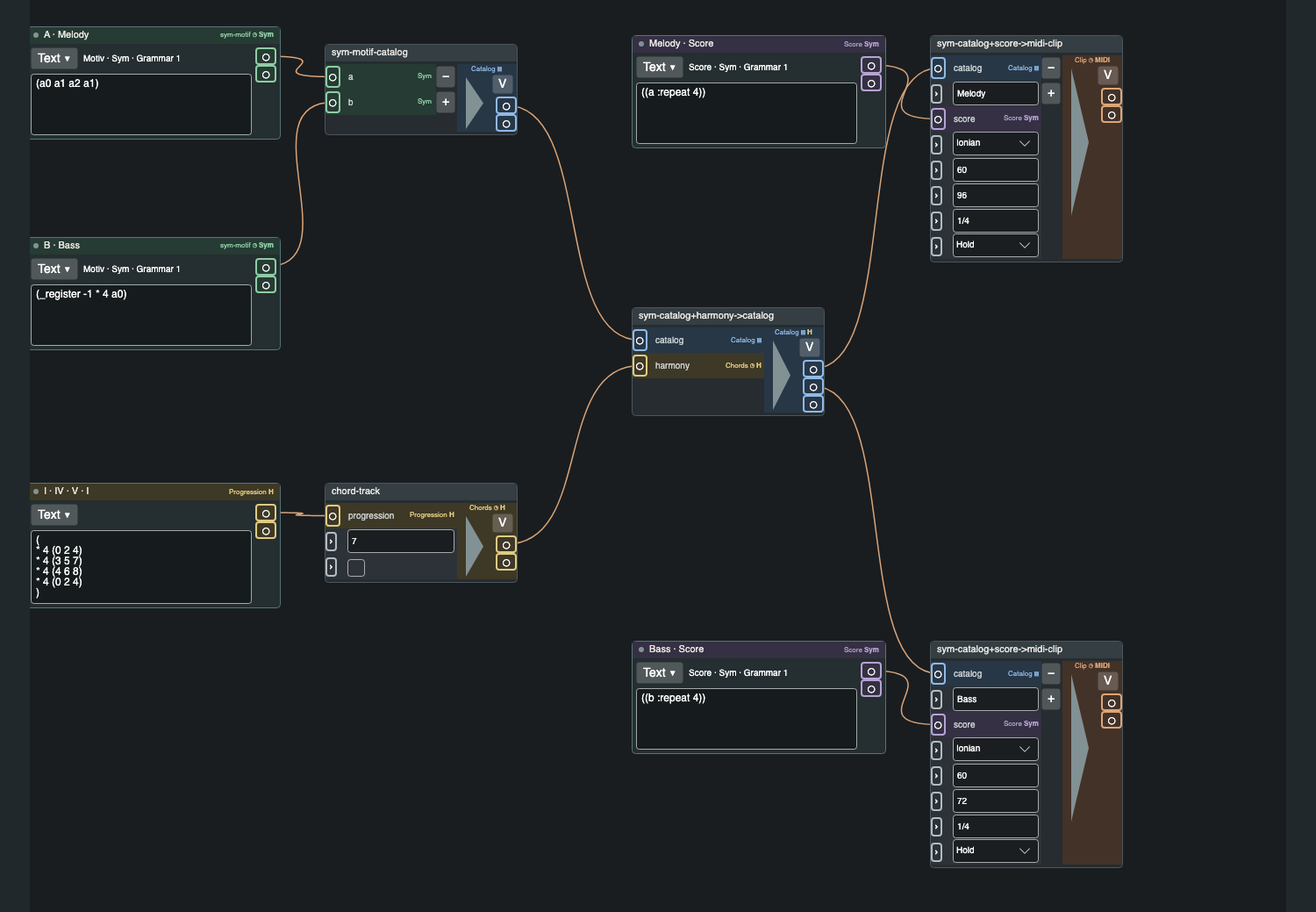
The chord track sets the harmonic foundation. Motifs describe the musical figures that work with it. Change the chord progression and hear the same motifs move through a new harmonic setting.
Features
Compose with motifs, harmonies and grooves in Parentone. Capture their relationships in a patch, then develop music you can export as MIDI and take further in your DAW.
Building your first patch can take a little longer than entering notes in a conventional DAW. In return, you describe the musical relationships too. A new chord progression, a different groove or a variation can give the same idea a very different sound. You can experiment with the structure without having to adjust every note individually.
01 / Compose
The chord track sets the harmonic foundation. Motifs describe the musical figures that work with it. Change the chord progression and hear the same motifs move through a new harmonic setting.
Grooves shape timing, accents and note lengths independently of pitch material. Try swing, shifted onsets or different accents, and use a groove across several motifs.
02 / MIDI export
MIDI export is at the heart of Parentone. Create and develop your musical material here, export a part or your arrangement, and import the MIDI file into the DAW of your choice. Continue there with sound design, mixing and mastering.
MIDI carries the musical performance data. Set up instrument plugins and their presets in your DAW; they are not part of the MIDI file. Special tunings also need a matching playback setup in the DAW.
MIDI export is enabled in the beta. From version 1.0, it is part of the full version.
03 / Tools
Create alternatives for motifs or other lists and switch between them. Combine variations within a patch and use them deliberately in your arrangement. There is room for the second idea too.
Develop individual sections as parts. Then choose their order, repetitions, variations and participating instrument tracks in the arrangement.
Musical elements stay editable as lists. Write directly as text, arrange groups in the structure view or use the graphical editors available for each list type. Choose the view that suits your idea.
EDO-N divides the octave into 2 to 96 equal steps. JI-5 and JI-7 open up just intonation. Scala scales and keyboard mappings add more possibilities. Microtonal playback requires an instrument with suitable MTS-ESP support.
Work with unusual time signatures, your own subdivisions and different meters for each part. Rhythmic step lengths can change within a motif, right in the middle of a part.
Parentone automatically scans for installed VST3 instruments. Assign your synths and samplers to tracks and hear the result directly in the app. Each plugin manages its own sound libraries and activation.
Develop drum motifs on a grid and shape hits and accents. Use MIDI CC curves to bring movement to your instrument parameters.
Send bug reports with optional screenshots, or request new features and Lisp modules directly from Parentone. Feedback is available with a linked account in the beta and later in the full version.
04 / Build on each other’s ideas Planned
Planned for the full version. Sharing is not available yet.
Upload and download patches and individual lists directly from the app. Usernames will show who shared an idea. Patches will include fallback instrument choices to help when a plugin is missing.
The planned catalogue will offer filters for author, list type, tuning, time signature, genre, BPM and character. Perhaps you are looking for a dark groove. Or one in 7/8. Or both.
Download Parentone and try it with your own music.
macOS · Apple Silicon